
Master Game Feel
A Step-by-Step Guide to Creating Squash & Stretch Components in Unreal Engine 5
Learn the exact component-based workflow used in professional game development to create satisfying, responsive interactions that players love. This technique transforms static objects into living, breathing game elements.
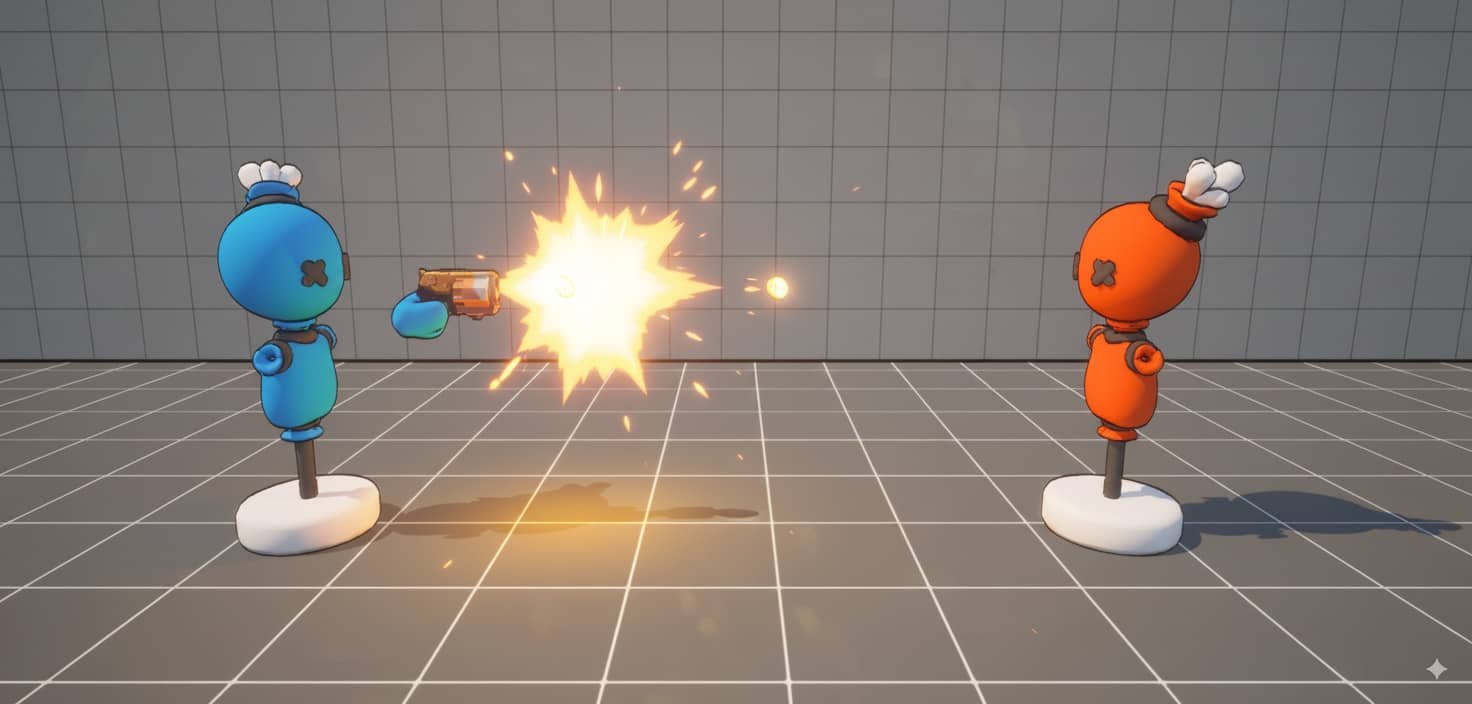
Why Squash & Stretch?
Before diving into the implementation, let's understand why this principle is fundamental to game feel:
🎯 Instant Feedback
Players immediately understand object interactions through visual deformation
✨ Professional Polish
Transforms basic mechanics into satisfying experiences without additional assets
🔧 Component-Based
Reusable system that works across all your game objects
⚡ Lightweight
Minimal cost with maximum visual impact using just scale transforms
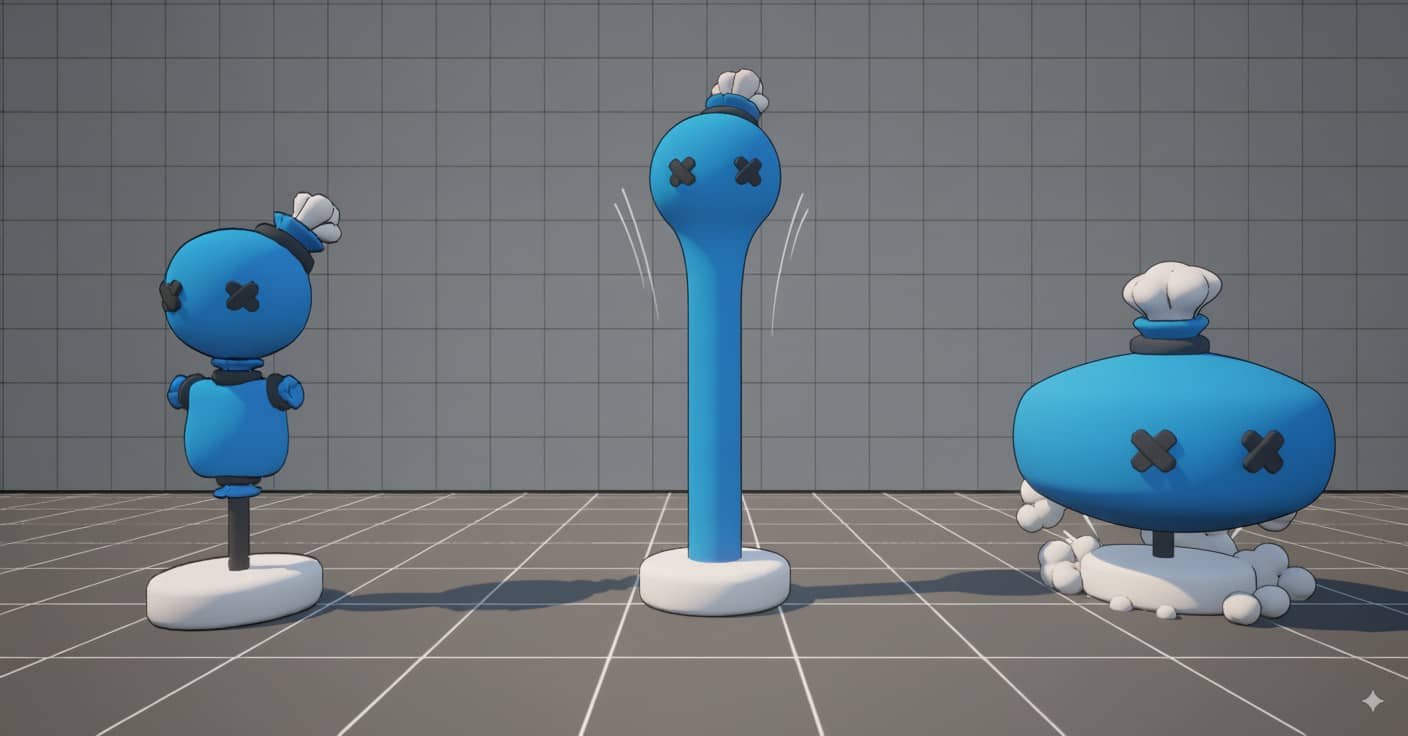
Setup & Initialization
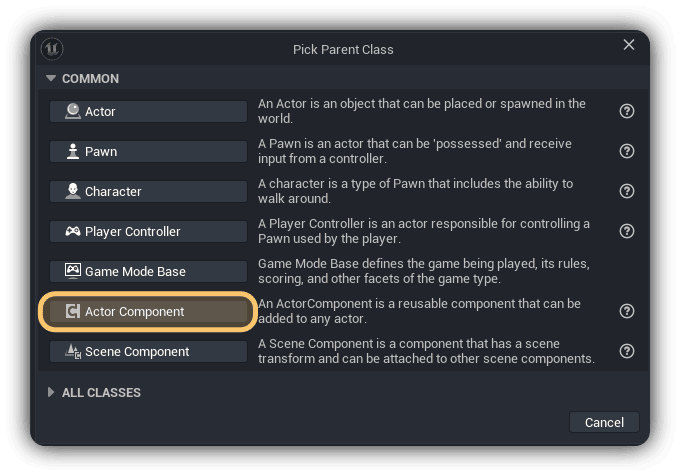
Create Component Class
We'll start by creating a reusable Actor Component that can be attached to any actor in your game. Navigate to your Content Browser and create a new Actor Component Blueprint named BPC_SquashStretch.
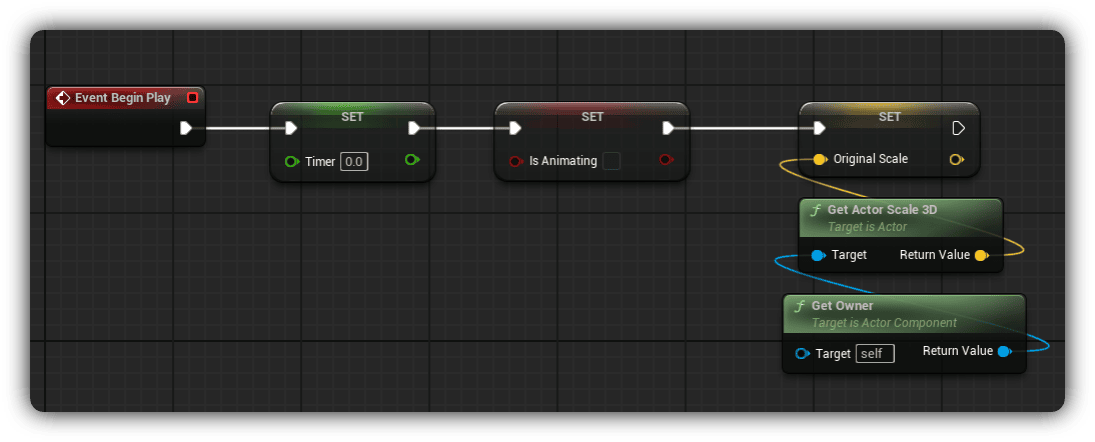
Set Class Defaults
Add these essential variables to your component. These will track our animation state and store the original scale:
bIsAnimating (Boolean): Default value = false
OriginalScale (Vector3): Set via Get Actor Scale 3D → Get Owner
Create Core Function
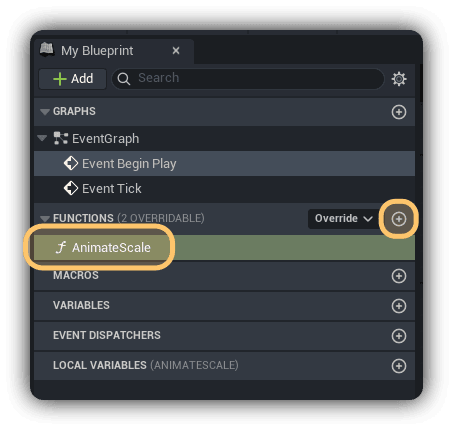
Add a new function named AnimateScale. This will be our main animation driver, called every tick to update the scale.
If you'd like the full project files and more reusable components like this one, you can support the work on Patreon